Step four - Configure Energy Manager
Now that we have Home Assistant installed through the Energy Manager installation script, we need to customise certain parts of it to make it unique to you, that the script could not guess for you.
If you notice any dashboard configuration errors on your newly deployed Home Assistant, make sure that you performed a hard cache reset on your browser. This is mandatory after any major change to Home Assistant, due to the way that Home Assistant uses your own browser to perform a lot of its work, so it must be reset.
However, you shouldn't find any entities missing after the installation. If you do, please start a github discussion so that you can obtain some support to help you search your logs so that you can find out what is going wrong.
Instructions
Click on each of the links below to complete each step:
- Enter your Energy Manager key, if not already done so in the installation script (obtained from the subscription page).
- Enter your Solcast key and resource ID(s), if not already done so in the installation script (refer to the Solcast instructions page on how to obtain them).
- Complete your inverter modbus configuration so that Energy Manager can communicate with your inverter and battery system [REQUIRED].
- Configure your energy settings in the dashboard [REQUIRED].
- Configure your electricity provider in the dashboard [REQUIRED].
- Configure your notifications in the dashboard (Amber Electric/LocalVolts only).
Final Testing
Once the above steps have been completed, you should check that the Energy Manager appears to be working correctly. The easiest way to do this is to simply ensure that your main PV dashboard now contains appropriate readings.
Browse to the main PV Dashboard
- Click on the PV dashboard menu item
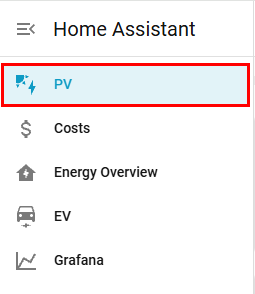
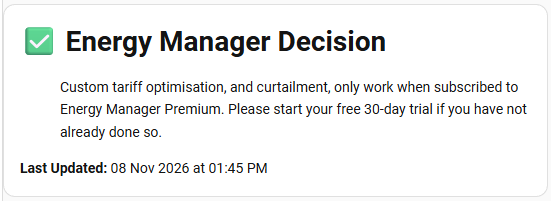
You will be taken to that "Main PV Dashboard" view that contains a number of items that can confirm your configuration is appropriate. Below you will be shown what to look out for, assuming you're on a free subscription at this stage. If you are on the premium subscription, the decision box content will look different and contain more information.
Check Energy Manager Decision is reporting
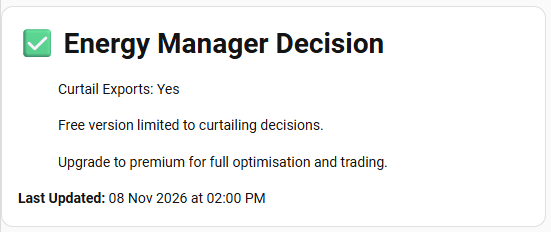
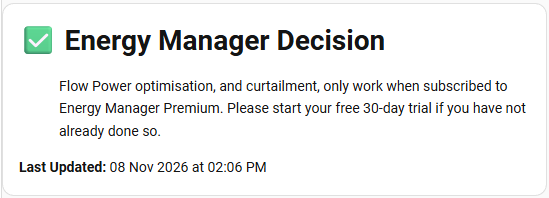
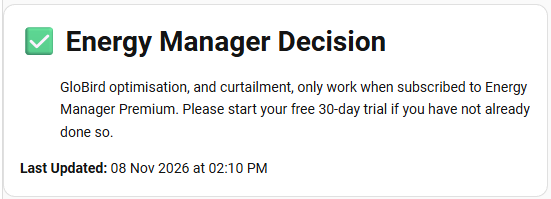
The Energy Manager Decision box should have text in it with information regarding your selected electricity provider.
Wholesale Providers (Amber Electric & LocalVolts)
Flow Power
GloBird
The "Other" Provider
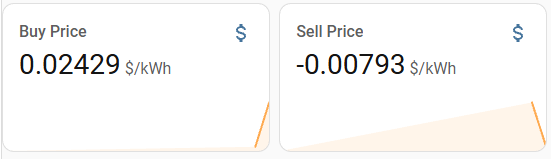
Buy and Sell Prices
Confirm that your buy and sell pricing are working.
Note that non-wholesale providers (Flow Power, GloBird and "Other") may show 0.0 $/kWh until premium scription is trialed, this is normal.
Wholesale Providers (Amber Electric & LocalVolts)
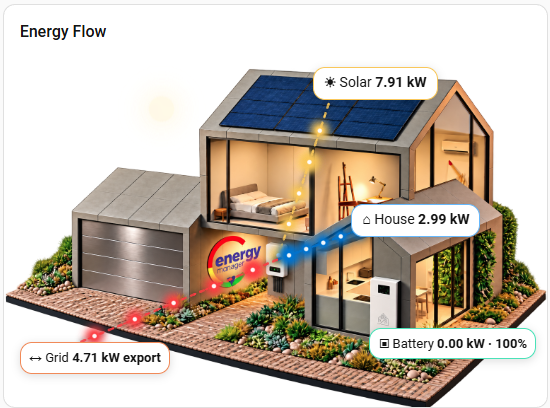
Energy Flow Visual is working
As a way to test that your inverter and battery system is being communicated with, you should see activity on the Energy Flow Visual. If you are not seeing any activity, then you should confirm your modbus connectivity (or brand-specific integration) is working correctly.
Note that if you receive the following Energy Manager decision, it will be indicating a misconfiguration somewhere on your system. If you cannot locate the issue, please start a discussion in Github Discussions.

Now that you have completed the configuration of Energy Manager and have tested that it is working, you should familiarise yourself with the Operating Instructions.